Sabtu, 19 Oktober 2013

Vortex Responsive Blogger Template

Vortex Responsive Blogger Template
Template Name: Vortex Blogger Template
Platform: Blogger / Blogspot
Release date : 20, October 2013
Author : www.templateism.com
License : Creative Commons Attribution 3.0


Vortex is 100% responsive, high functioning and multimedia magazine style blogger template designed for richly professional bloggers and webmasters. It has some efficient features and functionalities that would certainly make you go gaga about this template. Most importantly, this template looks different on each and every device. For example, check it on your PC, Laptop, iPad and even your smartphones you will find all layouts a slight different from others, we call it the excellent designing. Other than that, it has some noteworthy features which are listed below.

Vortex Responsive Blogger Template

Features of Vortex Responsive Blogger Template:

  1. 100% Responsive Blogger Template: Vortex is flexible and highly responsive Blogger template. We have tried our best to produce a high quality theme with extremely flexible responsive style. We have tested it again and again on different devices like Android, iPhone, iPad, and it works pretty awesome on all devices with different screen resolutions. It fits your screen like as if it was exclusively made for your device.

  2. SEO Friendly: SEO is something that can be done by you or other professionals. Since, you are using our templates, so we provide you the facility to just post your content, where as we take care of your Search engine optimization.

  3. Multi-Drop down Menu: This theme also supports multi-drop down menu that enables you to add more categories in your site. It helps in giving users the flexibility to get into the depth of your category.

  4. Browser Compatibility: Vortex is cross-browser supported that shows; we have checked and tested this theme a gazillion times before releasing it in public. It works fine on all major browsers like Chrome, Firefox, Internet explorer. However, it might not function on some low quality old school browsers that do not know the standards of latest development i.e. CSS3 and HTML5.

  5. Optimize for AdSense: We have added some Html Comments that will help you to display Ads below and above your posts. In your template search for <!—AdSense Above Posts --> or <!-- AdSense Below Posts --> and replace it with your parse AdSense ad code.

How to Customize Feature Bottom Label:

The first thing you need to do is to go to Blogger >> Your site >> Layout >> Label Top (Feature Posts 1) >> and paste the following code in the HTML Box. Note: Replace "Featured" with your Label. Remember: The label name should be accurate, making sure that letters are capital or not.
<script type='text/javascript'>
var numposts = 1;
var showpostthumbnails = true;
var displaymore = false;
var displayseparator = false;
var showcommentnum = false;
var showpostdate =  true;
var showpostsummary = true;
var numchars = 400;</script>
<script type="text/javascript" src="/feeds/posts/default/-/Featured?orderby=updated&alt=json-in-script&callback=labelthumbs"></script>

How to Customize Feature Bottom Label:

To customize Feature top Label first upload this template to your site then go to Blogger.com >> Layout >> Feature Bottom >> Edit and paste the following code in the HTML Text box. Note: Replace "Technology" with your Label. Remember: The spelling should be accurate otherwise it would not work, even take care of upper and lower class letters.
<h2 class="homelabelh"> Technology News</h2>
<div style='clear:both;'></div>
<script type='text/javascript'>
var numposts = 6;
var showpostthumbnails = true;
var displaymore = false;
var displayseparator = false;
var showcommentnum = false;
var showpostdate =  false;
var showpostsummary = false;
var numchars = 100;</script>
<script type="text/javascript" src="/feeds/posts/default/-/Technology?orderby=updated&alt=json-in-script&callback=labelthumbs"></script>

From The Designers Desk:

When we shared a teaser of this template on our Facebook page. We got a handful of awesome reviews, one user said that, "This is the GOD of Blogger Templates". Therefore, we decided to give it for Free. Let us know what you are outcomes about this template in the comment section below.

Senin, 23 September 2013

Educator Blogger Template

Educator Blogger Template

Template Name: Educator Blogger Template
Platform: Blogger / Blogspot
Release date : 23, September 2013
Author : www.templateism.com
License : Creative Commons Attribution 3.0

Download Preview


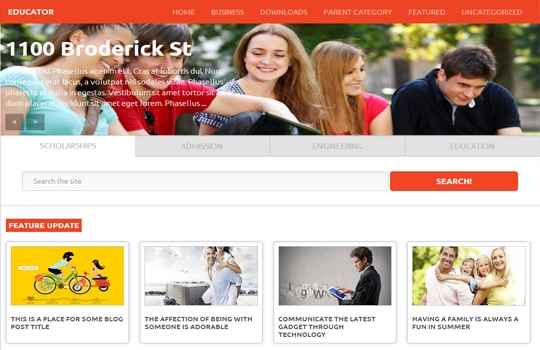
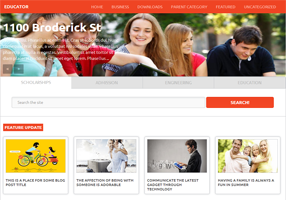
Educator Blogger Template is utterly stylish yet decent and sober theme designed for BlogSpot based websites. We have designed this template for all those colleges, universities and other institutions who want to have an amazingly professional website with not a lot of expenses. Educator Blogger template allows you an ideal online institution website, and at the same time it can also be converted in a full-time magazine blog. Though, it is designed for educational blogs, but one can also use it on magazine, Technology, Multimedia based websites.

Educator Blogger Theme (Big View)

Features of Educator Blogger Template:

  1. Responsive Blogger Template: This theme supports multiple dimensions, which means it would appear just perfect on your personal computers, laptops, smartphones, and the rest of the other devices.  Which means your mobile users would enjoy browsing your site as it would bring a lot of perks to them. 

  2. Full Width Image Slider: In this theme, we have also connected a responsive highly flexible image slider. You can upload picture of any sizes, and it would stretch it just faultlessly. However, to bring productive results upload a decent large image. 

  3. Featured Posts: Like our other templates, we have also included featured post functionality through which you can display posts tagged with a specific Label differently. To install this function, check out the details below.

  4. SEO Optimized: Search engine optimization is considered as the one of the essential element of a website this is the reason why we always emphasis on developing themes having moderate SEO score. We have added some distinct on-page SEO plugins which would certainly help you in increasing your Google SERP Rankings. 
More Features: Multiple Drop Down Menu, 4 columns Footer, 3 columns Template, Threaded commenting system, related posts, Ads ready, SEO Friendly and much more.

How to Customize Feature Top Label:

To customize Feature top Label first upload this template to your site then go to Blogger.com >> Layout >> Feature Top (Full Width) >> Edit and paste the following code in the HTML Text box. Note: Replace "Technology" with your Label. Remember: The spelling should be accurate otherwise it would not work, even take care of upper and lower class letters.
<h2 class="featuredi"><a>Feature Update<a></a></a></h2>
<script src='/feeds/posts/summary/-/Technology?max-results=4&amp;orderby=published&amp;alt=json-in-script&amp;callback=recentthumbs&amp;' type='text/javascript'/>
     </div> <div class='clears'/></script>

How to Customize Feature Left Label:

To customize Feature Left Label go to Blogger.com >> Layout >> Feature (Side) >> Edit and paste the following code in the HTML Text box. Note: Replace "Tech" with your Label. Remember: The spelling should be accurate otherwise it would not work, even take care of upper and lower class letters.
<div id='featureside'>
<h2 class='featureside'><a>Feature Update<a/></a></a></h2>
<script src='/feeds/posts/summary/-/Tech?max-results=8&amp;orderby=published&amp;alt=json-in-script&amp;callback=recentthumbs&amp;' type='text/javascript'/>
  
   </div> <div class='clears'/>

How To Customize Slider: 

First login to your blogger dashboard and go to Template >> Edit HTML  and search for the following piece of code and customize it according to your desire needs.
<section class='slider-wrapper'>

From The Designers Desk:

We hope this Blogger theme would help you in renovating your blog with true awesomeness. The speed of this theme is quite fast despite of the fact that we have use a lot of JavaScripts. Let us know what do you think about it.

Kamis, 29 Agustus 2013

Flat Mag Responsive Blogger Template

FlatMag Responsive Blogger Template
Template Name: Flat Mag Responsive
Platform: Blogger / Blogspot
Release date : 29, August 2013
Author : www.templateism.com
License : Creative Commons Attribution 3.0

Download Preview


Flat Mag Responsive Blogger Template is a multi-purpose straight Blogger template precisely designed for multimedia, news bulletin, Entertainment and Technology blogs. With elegant green color scheme, Fla tMag gives you visitors the experience of their life as they go though the responsive and flexible design. It has a lot of useful and key widgets, which come which are ready-to-use from the time this template is installed on your blog. Following are the few key features we have incorporated in this responsive blogger theme.

FlatMag Responsive Blogger Template

Features of FlatMag Responsive Blogger Template:

  1. Breadcrumbs: The most amazing widget we have in this template is Breadcrumbs for humans. It has nothing to do with SEO. The breadcrumbs would only display parent categories of the article so users can easily search your site in depth.

  2. Responsive Design: It has responsive design which automatically fits different resolutions i.e. iPad, iPod, Android and etc. (Try resizing the page of your browser and see the magic). This theme is coded so perfectly that it is highly responsive in even Internet Explorer.

  3. Sticky Header with Drop down Menu: In this theme, we have used “Sticky” drop down menu, but a lot of users demanded for a Multi Drop Down menu which could work on three different sub levels. Keeping that in mind, we have added a “Sticky”, Multi-level Drop down menu in this theme. On the top of that the header of this theme is also sticky.

  4. Author Bio Widget: The next new thing, which we have added in the template, is the “Author Bio” widget that appears in each and every post. Anyone can customize it, according to their needs. Keep in mind it is not for multiple authors.

  5. Featured Label Posts: Just like our previous themes, we have also added a featured post display in this theme, which gives a user the flexibility to easily display posts through a certain Label on home and archive pages. To learn how to install this feature, kindly check the guidance below. 
More Features: Back to Top button, 4 columns Footer, 3 columns Template, Threaded commenting system, related posts, Ads ready, SEO Friendly and much more.

How To Customizing Sticky Menu?

Go To Blogger.com >> Template >> Edit HTML >> Proceed. Now search for the following coding in the template. After finding it Replace # with your URLs and Save the template.
<div class='span-24'>
<div class='menu-secondary-container'>
<ul class='menus menu-secondary'>
<li><a href='http://flatmag.blogspot.com/'>Home</a></li>
<li><a href='#'>Blog</a>
<ul class='children'>
<li><a href='#'>Internet</a></li>
<li><a href='#'>Market</a></li>
<li><a href='#'>Stock</a></li>
</ul>
</li>
<li><a href='#'>Contact</a>
<ul class='children'>
<li><a href='#'>Dvd</a></li>
<li><a href='#'>Games</a></li>
<li><a href='#'>Software</a>
<ul class='children'>
<li><a href='#'>Office</a>
</li>
</ul>
</li>
</ul>
</li>
<li><a href='#'>About Us</a></li>
<li><a href='#'>Portfolio</a></li>
<li><a href='#'>Tutor</a></li>
</ul>
</div>
</div>

How to Customize Featured Content Area? 

The first thing you need to do is to go to Blogger.com >> Your Blog >> Layout >> now beside post body and right sidebar you will notice a small thin gadget area. Press "Add a gadget >> Add HTML/JavaScript and paste the following code there. Note: Replace "Tech" with your Label. Remember: The spelling should be accurate otherwise it would not work, even take care of upper and lower class letters.

<script type='text/javascript'>
var numposts = 10;
var showpostthumbnails = true;
var displaymore = false;
var displayseparator = false;
var showcommentnum = false;
var showpostdate = false;
var showpostsummary = true;
var numchars = 100;
</script>
<script src='/feeds/posts/default/-/Tech?orderby=updated&amp;alt=json-in-script&amp;callback=labelthumbs' type='text/javascript'/></script>

From The Editor's Desk: 

We hope this responsive template would help your visitors to make most of what you have for them. This theme takes few seconds to load and has a good enough page speed score. Let us know what do you think about it.

Jumat, 23 Agustus 2013

Fabric Blogger Template

Fabric Blogger Template

Template Name: Fabric Blogger Template
Platform: Blogger / Blogspot
Release date : 23, August 2013
Author : www.templateism.com
License : Creative Commons Attribution 3.0

Download Preview


Fabric Blogger template is a simply, and minimalistic theme presenting a woven style that is pleasingly unique among modern web design, Fabric is a premium looking blogger template with the great typography which brings out the true beauty of the Theme.  If you are looking for modern and pastel colored blogger template, then fabric is perfect choice for your blog. Following are the few key features we have connected to this robust theme.

Fabric Blogger Template

Features of Fabric Blogger template:

  1. Related Post: This theme has a related post widget with thumbnail which appears just above comment form.

  2. Threaded Comment Style: We have added an advanced and robust comment system to this theme, its beautiful design will force the users to comments on your blog.

  3. User Friendly: Fabric has beautiful user friendly robust design; we designed this theme in a way that anyone can easily customize it according to their needs.

  4. Social Sharing Buttons:  We have placed elegant social sharing buttons just beneath your posts title. This widget include twitter tweet, facebook like, plus one and stumbleupon submit button.

  5. Highly SEO Friendly: This template has High SEO score. Like our most of the themes, we have added really professional SEO Plugins that would certainly help you to attain some extra traffic to your website. The on-page SEO is just perfect for a blogging niche site.
More Features: Magazine Style,brownish scheme, threaded commenting system, 2 column template, static sidebar, 3 column footer and much more.

From The Editor's Desk:

This template is designed by http://www.seobloggertemplates.com/ under the trademark of Templateism. If you also want to submit a template then feel free to send us a query at our Contact us page. Let us know what are your thoughts about this theme.

Rabu, 14 Agustus 2013

GoGreen Blogger Template

GoGreen Blogger Template
Template Name: GoGreen Blogger Template
Platform: Blogger / Blogspot
Release date : 14, August 2013
Author : www.templateism.com
License : Creative Commons Attribution 3.0

Download Preview


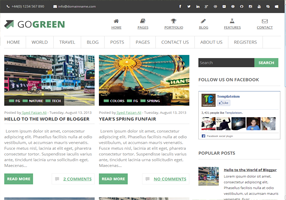
GoGreen is a multipurpose Blogger template with lots of new and indifferent functionalities. It is elegantly clean with a touch of FLAT UI but it is not totally flat. The dynamics of this theme are extremely pure and it gives a sparkling shine to your blogger site. Unlike most of the other blogger templates, GoGreen would give you a professional touch that your visitors would be unable to guess that  whether you are using Blogger or any other platform like WordPress, etc.

GoGreen Blogger Template

Features of GoGreen Blogger Template:

  1. Highly SEO Friendly: This template has High SEO score. Like our most of the themes, we have added really professional SEO Plugins that would certainly help you to attain some extra traffic to your website. The on-page SEO is just perfect for a blogging niche site. 

  2. Icon Navigation Menu: People always like pictures and images than just a simple piece of text. Therefore, in this template, we have included a quite clean and elegant icon based navigation menu that would certainly not let you down. Don’t worry normal navigation menu is also there so its two in one. Pretty cool huh?

  3. Thumbnail Related Posts: In this theme, we have added a Thumbnail Related post widget which would work on automation. The Thumbnails are of normal size so it could easily be seen by the readers.

  4. Related Posts: This theme also has a related post gadget which appears just beneath your posts. It displays related posts in systematic order along with their featured thumbnails.

  5. Robust Commenting System: Finally, in this theme we incorporated a wholesome Robust and elegant commenting system. It has some hand full of features. The most prominent feature is the “Verified” Icon that appears only with the BLOG Admins. It differentiates the comments of an admin and the users. Pretty cool it looks like.
More Features: Magazine Style, geenish scheme, threaded commenting system, 2 column template, static sidebar and much more.

From The Editor's Desk:

The name of this theme is "GoGreen" because we are dedicating it to "Pakistan" on its 67th Independance day. However, anyone living in any part of the world can download it for absolutely FREE. Let us know what are your thoughts about this theme?

Minggu, 04 Agustus 2013

Cricket Mag Blogger Template

Videoism Blogger Template

Template Name: Cricket Mag Template
Platform: Blogger / Blogspot
Release date : 4, August 2013
Author : www.templateism.com
License : Creative Commons Attribution 3.0

Download Preview


The Versatile Cricket Mag Blogger Template is the best sports blogger template especially for Cricket fans and lovers. Probably the best sport magazine theme if you are looking to put up an original sport magazine portable. It comes up with lots of custom style widgets that go great with the template. It is Ad friendly, and there are many featured advertisement spots to make your sponsors dance to their boots. On the top of that, there are many other significant features that would make you say "Wow".

Features of Cricket Mag Blogger Template:

  1. Static Homepage: The Home page of this theme is static. Thus, the Slider and few more gadgets would only appear on the homepage so it may not interest the user-friendly experience of your visitors. There are many features stops for advertisements, features posts and etc.

  2. Best for a sport website: This has the best sport Blogger template. It comes with a load of dynamic gadgets including featured home page, featured content and advertisement spots.

  3. Custom header design: To immerse your users. Cricket Mag Comes up with a built in custom header design. We have crafted it for every major aspect so that you name it and he go it.

  4. Highly SEO Friendly: It is not just an SEO Friendly theme because it is highly optimized for Search engines. Unlike our other themes, we have integrated some advance techniques that would surely bring some more traffic to your website.

  5. Multi-Level Drop Down Menu: The most noteworthy aspect of this template is its multi-level Drop down menu that works quite intensely. The jQuery used to create the drop down effect is tremendously modest and hardly takes seconds to load.

  6. Featured Ads Spot: we have always experimented while allocating the featured advertisement spots but this time we have selected the most appropriate locations. We did a research work over the areas which are highly viewed by users. As a result, the theme spots were decided.
More Features: Magazine Style, geenish scheme, threaded commenting system, 2 column template, static sidebar and much more.

From the Designer's Desk:

We hope this much awaited template would certainly help a lot of sports bloggers in renovating their blog with awesomeness. The speed and the performance it is quite brilliant and the plus point is that it is cross browser supported. Let us know, what you think about this theme by commenting your reviews below. 

Sabtu, 13 Juli 2013

Videoism Blogger Template

Videoism Blogger Template
Template Name: Videoism Blogger Template
Platform: Blogger / Blogspot
Release date : 13, July 2013
Author : www.templateism.com
License : Creative Commons Attribution 3.0

Download Preview


Videoism is a professional video hosting blogger template designed for video site and video blog portal. This template would help everyone in setting up a professional video site rather quickly. It is somewhat inspired from popular video hosting websites like YouTube, Vimeo, Dailymotion and etc. No modest to say that this is the most powerful and robust Video Blogger template ever. It has significant features that would surely make your visitors feel great. It is extremely light weight and has quite impressive features too.

Videoism Blogger Template

Features of Videoism Blogger Template:

  1. Video Hosting: This template allows you to host video clips from YouTube, Dailymotion, Metacafe and etc. You just need to paste the embed code, and it would automatically fetch thumbnails. It means there is no need to add images manually the way we do with normal blog templates.

  2. Video Views Counter: Like every other video hosting site, we have added views counter which would appear just beneath the videos. It works on pageviews so, whenever someone would reload the page it would increase the number of views in the counter.

  3. SEO Friendly: We have used some new techniques while optimizing this theme for Search engine optimization. It is pre-optimized for on-page SEO Including heading tags, Meta tags, Keywords and in-depth optimizing things.

  4. Static Homepage: The Home page of this theme is static. Thus, the featured post thumbnails and few more gadgets would only appear on the homepage so it may not reduce the user-friendly experience of your visitors.
More Features: Magazine Style, white color scheme, threaded commenting system, 3 column template, 2 column sidebar and much more.

How to Add Videos?

If you would use the old Video Embed code, it may not show the thumbnails. Therefore, make sure you use the following technique to embed your videos.  Go to Blogger >> Add a new Post >> Html Tab >> Paste the code there and replace the Video URL.
<iframe width="662" height="320" src="http://www.youtube.com/embed/Bf38HiYPMiI" frameborder="0" allowfullscreen></iframe>

How to Customize Feature Label Area:

The first thing you need to do is to go to Blogger.com >> Your site >> Layout >> Add a Gadget >> Add HTML/JavaScript and paste the following code in the HTML Text box.
<script style='text/javascript'>
var numposts = 6;
var showpostthumbnails = true;
var displaymore = false;
var displayseparator = false;
var showcommentnum = false;
var showpostdate = true;
var showpostsummary = true;
var numchars = 75;
</script>
<script src='/feeds/posts/summary/-/Feature?orderby=published&alt=json-in-script&callback=showrecentpostswiththumbs'></script>
Now either replace "Feature" from the following coding to a keyword that you want to use as a Label so show up posts in this featured area. On second thoughts, you can tag your posts with "Feature" label and those posts would start appearing.

From the Designers Desk:
We hope this template would help you in setting up your very own video hosting site cheaply at Blogger. The speed and the performance it is quite brilliant and the plus point is that it is cross browser supported. Let us know what are your thoughts about this template in the comments below?