Menampilkan postingan yang diurutkan menurut relevansi untuk kueri Templateism. Urutkan menurut tanggal Tampilkan semua postingan

Minggu, 03 Februari 2013

MaxMag Responsive Blogger Template

Max Mag Blogger Template
Template Name: MaxMag Blogger Template
Platform: Blogger / Blogspot
Release date : 3, February 2013
Author : www.templateism.com
License : Creative Commons Attribution 3.0

Download Preview


Max Mag is a featured-rich, multimedia and magazine theme. Max Mag is a fully responsive template that has unlimited color scheme with a “Sticky” Menu that scrolls throughout the site. Furthermore, it has many features spots for content as well as Advertisements. All-in-all it is a must-to-have theme that literally takes shape of any kind of a website belonging to any category or niche. The color scheme of the template is also eye friendly and would fresh the thoughts of your readers.

MaxMag Responsive Blogger Template

Features of Max Mag Blogger Template:

  1. Sticky Multi Drop Down Menu: In previously released themes like Dazzling Designer, we utilized “Sticky” drop down menu, but a lot of users demanded for a Multi Drop Down menu which could work on three different sub levels. Keeping that in mind, we have added a “Sticky”, Multi-level Drop down menu in this theme. 

  2. Featured Content Area: This new feature is one of its kinds because we have first time added a splendid widget. This Widget fetches the Posts though Labels and, displays them in the featured content area. 

  3. Featured Ads Spot:Though, we have always experimented while allocating the featured advertisement spots but this time we have selected the most appropriate locations. We did a research work over the areas which are highly viewed by users. As a result, the theme spots were decided. 

  4. Author Bio Widget: The next new thing, which we have added in the template, is the “Author Bio” widget that appears in each and every post. Anyone can customize it, according to their needs. Keep in mind it is not for multiple authors. 
More Features: Adapted from WordPress, Magazine Style, Fixed Width, white and green color Scheme, threaded commenting system, related posts, Ads ready, SEO Friendly and much more.

How To Customizing Sticky Menu?

Go To Blogger.com >> Template >> Edit HTML >> Proceed. Now search for the following coding in the template. After finding it Replace # with your URLs and Save the template.
<div id='nav'>
<div id='main-nav-wrapper'>
<div id='main-nav'>
<div class='menu-main-nav-container'><ul><li><a href='#'>Home</a></li>
<li><a href='#'>Features</a>
<ul class='sub-menu'>
<li><a href='#'>Shortcodes</a></li>
<li><a href='#'>Slideshow</a></li>
<li><a href='#'>Wallpaper Ad</a></li>
<li><a href='#'>Full Width Page</a></li>
<li><a href='#'>Archives Page</a></li>
<li><a href='#'>Homepage Blog</a></li>
<li><a href='#'>No Leaderboard</a></li>
<li><a href='#'>Typography</a></li>
</ul>
</li>
</ul></div></div>
</div><!--nav-mobi-->
</div><!--main-nav-wrapper-->
<!-- Navigation Starts -->

How To Customize the Ticker? 

In the Template coding, search for the following or a similar coding. Since, the customization is extremely straightforward. Therefore, users can customize it without facing any problem whatsoever. Remember: Replace all text which is Blue in color.
<div id='ticker'>
<span class='ticker-heading'>Don't miss</span>
<ul class='ticker-list'>
<li><a href='#'>Fashion For Grown Ups at Rue du Mail</a><span class='ticker-date'>Posted 125 days ago</span></li>
</ul>
</div><!--ticker-->

How to Customize Featured Slider? 

From the template coding search for the following and customize it as it is required. Remember: Replace the text in Yellow. Also replace links in Red with the images that you want to see in the featured jQuery slider.
<!-- Featured Content Slider Started -->
<div id='home-left'>
<div id='featured-container'>
<div class='flexslider'>
<ul class='slides'>

<!-- Slider Wrapper 1 -->

<li>
<a href='#' rel='bookmark' title='The most desirable beaches in the world'><img alt='beach' class='attachment-slider-thumb wp-post-image' height='470' src='https://blogger.googleusercontent.com/img/b/R29vZ2xl/AVvXsEiLf7lT2A5mgzDq76bVW_na77TJpq6b6GuuRLgu_69THFxfgfWRST-IgfnRsekZhuiIIHCQrG0i9Zeb-wxc6GA2itY54YemvQCoVhA8jUf8G9beZohzMJgNcs_WWUKj3mgfxB2V2Wb4yzFw/s1600/beach.jpg' width='420'/></a>
<div class='featured-box'>
<h2><a href='#'>World's best beaches</a></h2>
<p>Lorem ipsum dolor sit amet, consectetur adipisicing elit, sed do eiusmod tempor incididunt ut labore et...</p>
</div><!--featured-box-->
</li>
</div><!--featured-box-->
</ul>
</div><!--flexslider-->
</div><!---featured-container-->

How to Customize Featured Content Area? 

Probably, the easiest way of customizing the Featured Posts are is to add your Labels to the following Coding. In the Template look for the following or similar coding. Replace "Tech" with your Labels. Remember: The spelling should be accurate otherwise it would not work, even take care of upper and lower class letters.
<script type='text/javascript'>
//<![CDATA[
var numposts = 3;var showpostthumbnails = false;var displaymore = false;var displayseparator = false;var showcommentnum = false;var showpostdate = false;var showpostsummary = true;var numchars = 80; 
//]]></script>
<script src='/feeds/posts/default/-/Tech?orderby=updated&amp;alt=json-in-script&amp;callback=labelthumbs' type='text/javascript'/>

From the Designer's Desk:

To be honest, it took a entire week in developing this template. Probably  the highest time our team has spend in developing any template so far for Templateism. This Template perfectly suites websites based on Technology, Blog, Multimedia, Magazine, News, Entertainment, Fashion categories. Another thing to pinpoint is that it is a responsive template and universally works perfectly on all platforms.

Attention:

We have Removed All The Bugs. Now the theme is not redirecting to anywhere. Please, its a humble request to download the theme again. However, if it still redirects than go to Blogger >> Template >> Look for the following link and replace it.
http://templateism.googlecode.com/files/related-posts.js
With
 http://templateism.com/javascript/related-posts.js

Minggu, 06 Januari 2013

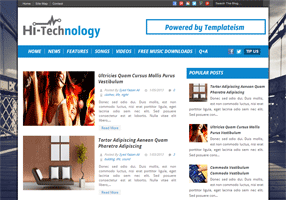
Hi-Tech Technology Blogger Template

Hi-Tech Technology Blogger Template
Template Name: Hi-Tech Blogger Template
Platform: Blogger / Blogspot
Release date : 07, January 2013
Author : www.templateism.com
License : Creative Commons Attribution 3.0

Download Preview


Hi-Tech Technology is a Free Blogger Theme/Template especially for Blogs, Magazine, News Portals and Technology Blogs. It has clean and minimal touch with modern standards design. This Template is also responsive and works smoothly on each and every platform (Resize your Browser and see the magic).  We have used (H1, H2, H3) heading tags that play quite significant role in SEO (Search engine optimization). Furthermore, it comes with tons of built-in features.

Hi-Tech Technology Blogger Template

Features of Hi-Tech Technology Blogger Template:

Elegant Look: This theme is clean and has an impressive look. The layout is remarkable that would amuse the visitors. Since, it has an elegant look. Therefore, people will never guess that it is hosted on Blogger Platform, not on WordPress.
  1. Auto Thumb & Read More: This template also has automatic thumbnail and read more button generation functionality. It would somehow lessen your stress of manually adding Jump break. 

  2. Breadcrumbs: Another miraculous widget we have in this template is Breadcrumbs for humans. It has nothing to do with SEO. The breadcrumbs would only display parent categories of the article so users can easily search your site in depth. 

  3. Custom Background: Unlike other themes, it has custom Sticky Background which gives it a fashionable look. However, anyone can change it according to his desire needs (On the DEMO Scroll down the page and see the background floating on your screen.

  4. Responsive Design: It has responsive design that supports different resolutions i.e. iPad, iPod, Android and etc. (Try resizing the page of your browser and see the magic).

  5. Google Ads Ready: This theme has quality advertisements spots which would surely increase your earning i.e. beside main logo, Below/Above post title, etc.  
More Features:  SEO Friendly, WordPress Look, 2 Columns, Technology Style, Static Home page, Fixed Width, Blue and White color Scheme, threaded commenting system, 4 columns footer and much more.

How To Customize Menu Bar?

To Edit/Change the Menu bar just go to Blogger.com >> Your Site >> Template >> Edit HTML >> Proceed and in the template search for the following coding. (If you are unable to find the following coding then, look for similar one.
<nav class='main'>
<div class='menu-header-container'>
<ul>

<li class='menu-item'><a href='/' title='Diffuser'><span class='nav_item'>Home</span></a></li>

<li class='menu-item'><a href='#' title='Music News'><span class='nav_item'>News</span></a></li>

<li class='menu-item'><a href='#' title='Top 10 Lists and More'><span class='nav_item'>Features</span></a></li>

<li class='menu-item'><a href='#' title='Songs'><span class='nav_item'>Songs</span></a></li>

<li class='menu-item'><a href='#' title='Videos'><span class='nav_item'>Videos</span></a></li>

<li class='menu-item'><a href='#' title='Free Music Downloads'><span class='nav_item'>Free Music Downloads</span></a></li>

<li class='menu-item'><a href='#' title='Interviews'><span class='nav_item'>Q+A</span></a></li>

</ul>
</div>

<div class='social_icons size_24'>
<a class='share_link facebook' href='https://www.facebook.com/templateism' target='_blank' title='Follow on facebook'><span class='social_icon'>follow on facebook</span></a>

<a class='share_link twitter' href='http://twitter.com/templateism' target='_blank' title='Follow on Twitter'><span class='social_icon'>follow on Twitter</span></a>

<a class='tip-us' href='#'>Tip Us</a>

</div>
</nav>

How to Add Widget or Ads Above/Below Posts:

Go To Blogger.com >> Template >> Edit HTML >> Proceed and Search for the Following coding.

To Show Below Post Title:
<b:if cond='data:blog.pageType == &quot;item&quot;'>
<!--Google Adsense Ad Code (Below Post Title)-->
</b:if>
To Show at The End of Posts:
<b:if cond='data:blog.pageType == &quot;item&quot;'>
<!--Google Adsense Ad Code (At the End of Posts)-->
</b:if> 
Replace:
<!--Google Adsense Ad Code (Below Post Title)--> To Show widget Below Post Title.
<!--Google Adsense Ad Code (At the End of Posts)--> To display Widget at the end of posts.

From The Designer's Desk:

This theme is ideal for a blog that shares tips, tricks, and news about gadgets. It’s a complete package that would bring a whole new spark in your content. It is extremely flexible, and anyone can easily customize it according to his needs. What are your thoughts and views about this Template? Anything you want to see in upcoming themes? Feel free to comment your precious opinions.

Minggu, 30 Desember 2012

Diffuser Magazine Blogger Template

Diffuser Magazine Blogger Template
Template Name: Diffuser Magazine Blogger Template
Platform: Blogger / Blogspot
Release date : 25, December 2012
Author : www.templateism.com
License : Creative Commons Attribution 3.0

Download Preview


Diffuser is a fully mobile responsive Template for Blogger Enabled Websites, which is ready with the latest CSS3 effects and suites perfectly on Magazine, Business, Blogs and Corporate Websites. It is compatible with all browsers and works perfectly on Internet Explorer too. High Speed Google fonts are consumed which would surely magnetize the eyes of your visitors. It is fully compatible with portable devices i.e. iPhone, iPad, Android and etc. In short, It is fully compatible with mobile devices.

Diffuser Magazine Blogger Template

Features of Diffuser eMag Blogger Template: 

  1. Adapted From WordPress: The elements which have used in this Blogger template are adapted from WordPress. We are sure that there is no Blogger Template, which could match the features of this Theme.

  2. Thumbnail Related Posts: In this theme, we have added a Thumbnail Related post widget which would work on automation. The Thumbnails are of normal size so it could easily be seen by the readers. 

  3. Responsive Image Slider:  To promote your featured articles, we have included a Responsive image slider that would help a person in promotion. It could give extra limelight to a certain article. 

  4. SEO Friendly: This Blogger Template is SEO-friendly because it is pre-optimized for Search engines. According to Google Page speed it has obtained 92 score out of 100 which is indeed overwhelming for SEO. 

  5. Four Columns Footer: Unlike, other blogger themes, we have experimented with 4 columns widget in the Footer. It would allow users to add up to 4 Gadgets without facing any problem whatsoever.

  6. Static Home Page: This Theme also has Static Homepage, which shows Latest articles in different styles on homepage. However, on post pages it would continue to show articles in a well-organized manner.

  7. Auto Read More With Thumbnail: There is no need to use Read more page break tool in this template because it would automatically create summary with 1 Thumbnail, and would display them on the Home page.
More Features: 1 Sidebar, 2 columns Blog Layout,  Fixed Width, Dark Grayish Color Scheme, threaded commenting system and much more.

Customizing The Navigation Menu: 

To customize the navigation menu of this Blogger Template follow the following instructions correctly. Go To Blogger.com >> Template >> Edit Html >> Search for the following code and customize it according to your desired needs. However, if you get stuck in the middle feel free to leave your comment below.
<div id='main_container'>
<nav class='main'>
<div class='menu-header-container'><ul class='menu' id='menu-header'>
<li class='menu-item'><a href='#' title='Diffuser'><span class='nav_item'>Home</span></a></li>
<li class='menu-item'><a href='#' title='Music News'><span class='nav_item'>News</span></a></li>
<li class='menu-item'><a href='#' title='Top 10 Lists and More'><span class='nav_item'>Features</span></a></li>
<li class='menu-item'><a href='#' title='Songs'><span class='nav_item'>Songs</span></a></li>
<li class='menu-item'><a href='#' title='Videos'><span class='nav_item'>Videos</span></a></li>
<li class='menu-item'><a href='#' title='Free Music Downloads'><span class='nav_item'>Free Music Downloads</span></a></li>
<li class='menu-item'><a href='#' title='Interviews'><span class='nav_item'>Q+A</span></a></li>
</ul></div>

<div class='social_icons size_24'>
<a class='share_link facebook' href='https://www.facebook.com/templateism' target='_blank' title='Follow on facebook'><span class='social_icon'>follow on facebook</span></a>
<a class='share_link twitter' href='http://twitter.com/templateism' target='_blank' title='Follow on Twitter'><span class='social_icon'>follow on Twitter</span></a>
<a class='tip-us' href='mailto:staff@gigi.com'>Tip Us</a>
</div>
</nav>

<div class='horizontal_navigation clearfix alt_link_color' id='promo_links'>
<div class='menu-promo-links-container'><ul class='menu' id='menu-promo-links'><li class='menu-item'><a>Trending:</a></li>
<li class='menu-item'><a href='#' title=' 2012 Music Awards'> 2012 Music Awards</a></li>
<li class='menu-item'><a href='#' title='Remembering Joe Strummer'>Remembering Joe Strummer</a></li>
<li class='menu-item'><a href='#' title='Best Albums 2012'>Best Albums 2012</a></li>
<li class='menu-item'><a href='#' title='Shocking 2012 Moments'>Shocking 2012 Moments</a></li>
<li class='menu-item'><a href='#' title='Best Radiohead Songs'>Best Radiohead Songs</a></li>
</ul>
</div>

Adding Widgets Below/Above Posts:

Sometime, users desire to add Widgets either above or below the post pages. Therefore, we have made tried our best to make things easier for everyone. To Add a Gadget only on Post Pages either above or below post follow the following instructions.

Go To Blogger.com >> Template >> Edit HTML >> Proceed and Search for the Following coding.

To Show Below Post Title:
<b:if cond='data:blog.pageType == &quot;item&quot;'>
<!--Google Adsense Ad Code (Below Post Title)-->
</b:if>
To Show at The end of Posts:
<b:if cond='data:blog.pageType == &quot;item&quot;'>
<!--Google Adsense Ad Code (At the End of Posts)-->
 </b:if>
Replace <!--Google Adsense Ad Code (Below Post Title)--> or <!--Google Adsense Ad Code (At the End of Posts)--> with your Widget coding according to your desire needs.

From The Designer's Desk:

This Theme is ideal for Multimedia and Entertainment based Blogs and website because it has all the sparks which are required to run a Successful entertainment website. What are your thoughts about this Theme? any Errors or bugs that we forgot to remove? Suggestions are more then welcomed. 

Minggu, 10 Februari 2013

News Magazine Blogger Template

News Magazine Blogger Template
Template Name: News Magazine Template
Platform: Blogger / Blogspot
Release date : 10, February 2013
Author : www.templateism.com
License : Creative Commons Attribution 3.0

Download Preview


News Magazine is an ever new responsive Template for Blogger Platform. Though, this template has the capability to take shape of any kind of website, but it is ideal for the Niche blogging like Technology, News bulletin, Gadgets, Telecom. This Theme has an elegant touch that literally produces sparks in the eyes of your visitors. It is jam packed with custom options like Featured Labels, Dropdown menu, Custom sidebar, related posts and much more. News Magazine looks splendid, because of its prominent color scheme. The orange color with a combination of blank gives it a perfect touch.

News Magazine Blogger Template

Key Features of News Magazine Blogger Template:

  1. Drop down Menu: Drop downs menus have become a basic need of each and every website. Keeping that in mind, we have added navigation drop down menu in this theme too. 

  2. Custom Popular Post: We have also added a custom popular posts widget which would display all those articles which are popular on your website. It helps in improving the Bounce rate.

  3. Auto Read More Button with Thumb: We have also included automatic read more button script, so there is no need to add manual Jump break buttons. Furthermore, the “Continue Reading” button is extremely stylish.

  4. Featured Content Area:  This new feature is one of its kinds because we have first time added a splendid widget. This Widget fetches the Posts though Labels and, displays them in the featured content area. This also helps in arranging your content in different and prominent ways.
More Features: WordPress Look, Web 2.0, Magazine Style,Fixed Width, white and dark blue color Scheme, threaded commenting system, custom threaded commenting system and much more.

How To Customize Drop Down Menu?

Go To Blogger.com >> Template >> Edit HTML >> Proceed. Now search for the following coding in the template. After finding it Replace # with your URLs and Save the template.

Navigation #1:
<div class='main-navigation'>
<nav id='navigation'>
<ul class='menu' id='menu-pages'>
<li><a href='#'>General Settings</a></li>
<li><a href='#'>Styling</a></li>
<li><a href='#'>Single Post</a></li>
<li><a href='#'>Ad Management</a></li>
<li><a href='#'>Social</a></li>
<li><a href='#'>Fonts</a></li>
</ul>
</nav>
</div>
Navigation #2:
<!-- Navigation -->
<div class='secondary-navigation'>
<nav id='navigation'>
<ul class='menu' id='menu-main-navigation'>
<li><a href='#'>Home</a></li>
<li><a href='#'>Technology</a></li>
<li><a href='#'>Breaking News</a></li>
<li><a href='#'>U.S.A</a></li>
<li><a href='#'>World News</a></li>
<li><a href='#'>Options Panel</a>
<ul class='sub-menu'>
<li><a href='#'>General Settings</a></li>
<li><a href='#'>Styling Options</a></li>
<li><a href='#'>Single Post</a></li>
<li><a href='#'>Font Settings</a></li>
<li><a href='#'>Social Buttons</a></li>
<li><a href='#'>Ad Management</a></li>
</ul>
</li>
<li><a href='#'>Shortcodes</a></li>
</ul></nav>
</div>
<!-- Navigation Ends --> 

How to Customize Featured Label Area?

In order to add posts through Labels then go to Blogger >> Layout >> Just above the post body there will be three "Add a Gadget" button. Just select it and from the list open Add HTML/JavaScript. Now in the HTML Text box paste the following coding. Replace "Templateism" with your any Label.

<script type='text/javascript'>var numposts = 1;var showpostthumbnails = true;var displaymore = false;var displayseparator = false;var showcommentnum = false;var showpostdate = false;var showpostsummary = true;var numchars = 60;</script>

<script type="text/javascript" src="/feeds/posts/default/-/Templateism?orderby=updated&alt=json-in-script&callback=labelthumbs"></script>

<div class="readMores">
<a href="#">Read More</a>
</div>

From the Designer's Desk:

Hopefully this Theme would help lots of bloggers who were anxiously waiting for a theme that is built with some wonderful features. It will compliment any kind of website like Technology, Multimedia, and Magazine. Feel free to leave your comments and suggestions below.

Senin, 18 November 2013

Red Hood Portfolio Blogger Template

Vortex Responsive Blogger Template
Template Name: RedHood Portfolio 
Platform: Blogger / Blogspot
Release date : 18, November 2013
Author : www.templateism.com
License : Creative Commons Attribution 3.0


Red hood Portfolio Blogger Template is super stylish, and at the same time it is highly 100% responsive, perfect quality, super elegant, premium design Blogger Theme ideal for photography or picture based blogs or web portable.  If you are a photographer or a web developer and you want to showcase your work, then Red Hood Portfolio is a perfect example of what class and perfection is all about. It displays your portfolio is such a manner that your clients would love to hire you on a permanent basis.


Features of Red Hood Portfolio Blogger Template:

  1. 100% Responsive Blogger Template: Most of the blogger themes are not flexible enough to fit screens of different devices; even the responsive one fails to do it. However, we are giving you the certain a surety that this theme is 100% Responsive, following are the few screenshots we took while testing it on Android 4.3 and iPhone 5.

  2. Automatic Logo Generator: Unlike other Blogger templates, we have come up with a new and innovative idea. Some webmasters, who are not into Logo designing (Photoshop) can now make use of this amazing feature. We have integrated a flexible custom script, which would automatically create a beautiful logo for you. All you need to do is to select a 2 word title for your blog for example RedHood Portfolio.

  3. Portfolio Style Theme: This theme is ideal for Wallpaper, showcase, portfolio, artwork and picture based websites. Giving it a certain amount of awesome behavior Red Hood framework is perfect for all kinds of style (blog, magazine styles are coming soon).

  4. Tabbed Sidebar Widget Area: The tabbed widget gives you extra space in your sidebar. Those days are gone when tabbed widgets were un-friendly a not responsive. We have added an amazing Sidebar tabbed widget area which would surely grab your visitors’ attention. 

  5. RSS Email Subscriber: Unlike our other themes, we have used this functionality for the first time and we are regretting why we didn’t use it before. It is a bulletin Blogger widget, we have given it a new look and touch with our amazing CSS3 abilities

  6. Featured Posts Via Labels: This feature is no more a new thing for Templateism Themes (almost all our themes have this feature unlike others). So, what is new here? We have designed it with real amazing CSS. We will not tell you, just go ahead and hover over the posts mentioned below the ticker. 

  7. Finger Touch Friendly Image Slider: Since, it is a responsive theme, so we decided to integrate a touch slider that operates on finger touch (if a person is browsing from a device that supports finger touch.

More Features:  Recent posts, Social Links, Social Sharing counter buttons, Related posts, Threaded commenting system, Multi Drop Down menu, Reddish blue color scheme and much more exciting features to enjoy.

Theme Customization and Faqs:

How To Insert 728x60 Advertisements:

First thing first, Go to Blogger.com >> Layout > Ad 728x60 >> Edit >>. Now in the HTML Text area, Paste your Ad code (remember it should be of 728 width and 60 height).

How to Add Recent Posts:

First thing first, Go to Blogger.com >> Layout > Recent Posts >> Edit >>.Now in the HTML Text area, Paste the following code which is mentioned below (Remember: You must upload 1 image in your posts by yourself otherwise it will not display it properly). You can replace "2" with the number of recent post you want to show.
<script type='text/javascript'>
var numposts = 2;
var showpostthumbnails = true;
var displaymore = true;
var displayseparator = false;
var showcommentnum = false;
var showpostdate =  false;
var showpostsummary = true;
var numchars = 150;</script>
<script type="text/javascript" src="http://rdesigntheme.blogspot.com/feeds/posts/default?max-results=5&orderby=published&alt=json-in-script&callback=labelthumbs"></script>

How to Add Featured Posts:

First thing first, Go to Blogger.com >> Layout > Featured Post (TOP) >> Edit >>. Now in the HTML Text area, Paste the following code which is mentioned below.

<div style='clear:both;'></div>
<script type='text/javascript'>
var numposts = 4;
var showpostthumbnails = true;
var displaymore = true;
var displayseparator = false;
var showcommentnum = false;
var showpostdate =  false;
var showpostsummary = true;
var numchars = 100;</script>
<script type="text/javascript" src="/feeds/posts/default/-/Featured?orderby=updated&alt=json-in-script&callback=labelthumbs"></script>
Now replace the word “Featured” with any other Label that you will use to display Featured posts. Whenever you will use that label in your posts, those posts will show up in this feature area. (Remember: You must upload 1 image in your posts by yourself (not from other sites i.e. WordPress or Flickr otherwise it will not display it properly).

From the Designer’s Desk:

We hope this gallery style blogger template would bring some extra attention to your site. Still if you feel like you need some changes, then you can always customize it according to your desire needs making sure you don’t violate the creative commons copyrights. Let us know what are you inputs about this new and amazing framework Red Hood, say tuned because up next is Red Hood Magazine.

Jumat, 23 Agustus 2013

Fabric Blogger Template

Fabric Blogger Template

Template Name: Fabric Blogger Template
Platform: Blogger / Blogspot
Release date : 23, August 2013
Author : www.templateism.com
License : Creative Commons Attribution 3.0

Download Preview


Fabric Blogger template is a simply, and minimalistic theme presenting a woven style that is pleasingly unique among modern web design, Fabric is a premium looking blogger template with the great typography which brings out the true beauty of the Theme.  If you are looking for modern and pastel colored blogger template, then fabric is perfect choice for your blog. Following are the few key features we have connected to this robust theme.

Fabric Blogger Template

Features of Fabric Blogger template:

  1. Related Post: This theme has a related post widget with thumbnail which appears just above comment form.

  2. Threaded Comment Style: We have added an advanced and robust comment system to this theme, its beautiful design will force the users to comments on your blog.

  3. User Friendly: Fabric has beautiful user friendly robust design; we designed this theme in a way that anyone can easily customize it according to their needs.

  4. Social Sharing Buttons:  We have placed elegant social sharing buttons just beneath your posts title. This widget include twitter tweet, facebook like, plus one and stumbleupon submit button.

  5. Highly SEO Friendly: This template has High SEO score. Like our most of the themes, we have added really professional SEO Plugins that would certainly help you to attain some extra traffic to your website. The on-page SEO is just perfect for a blogging niche site.
More Features: Magazine Style,brownish scheme, threaded commenting system, 2 column template, static sidebar, 3 column footer and much more.

From The Editor's Desk:

This template is designed by http://www.seobloggertemplates.com/ under the trademark of Templateism. If you also want to submit a template then feel free to send us a query at our Contact us page. Let us know what are your thoughts about this theme.

Selasa, 17 Desember 2013

Brand Mag UX Responsive Blogger Template

BrandMag UX Responsive Blogger Template

Template Name: BrandMag UX
Platform: Blogger / Blogspot
Release date : 18, December 2013
Author : www.templateism.com
License : Creative Commons Attribution 3.0


Brand Mag UX is pure and fully responsive Blogger Template builds with latest technologies like HTML and CSS3. It has a unique design concept with multiple elements to customize and turn it around. It has variation in the header, as you can add either Slider or Advertisements. You can use it for design, portfolio, magazine, personal blog, products, presentation and landing page etc. It is also pre-optimized for on-page SEO providing enough functionality to index your posts 80% faster than the other Blogger Templates available on different websites.

BrandMag UX Responsive Blogger Template

Features of BrandMag UX Blogger Template:

  1. Unique Design: The UX Design on this theme is totally unique, which gives an extra finish to your website. It is elegant yet simple, which is the main required of a decent website design. It could be used as a magazine or a portfolio site at the same time (due to its flexible features).

  2. Sticky Navigation Bar: The sticky navigation bar is somewhat inspired from Android UI, the strip based navigation gives you enough flexibility to expand it or to keep it slim. This makes it a lot easier for your visitors to navigate through your content.

  3. 100% Responsive Design: Like our previously released theme vCard, this template is also 100% responsive. We have tested it on different devices like Android, iPhone, Desktops, and HD Laptops. It works awesomely well on all standard devices.

  4. Featured Label Area: This feature is the trademark of Templateism.com. It allows you to display Posts from a specific Label. It is easily customizable and works on jQuery, so it is amazingly fast and reliable to use.

  5. 3D Gallery Slider: This is an awesome slider for developers and web designers who loves to showcase their designs, websites, and artwork. It works smoothly, there are few customization available to change its way of working.
More Features: Automatic Summery, Auto Read More, Ad Friendly, 4 column Footer (Available for HD Laptops), Cloud Labels, Related posts, Threading commenting and much more.

How to Customize Feature Top Label: 

To modify Feature top Label, go to Blogger.com >> Layout >> Feature Top (Full Width) >> Edit, and paste the following code in the HTML Text box. Note: Replace "Featured" with your Label. Remember: The spelling should be accurate otherwise it would not work, even take care of upper and lower class letters.

<h2 class="feature-heading">Trending Articles From <b>Brand. Mag. Ux.<b></b></b></h2>
<script type='text/javascript'>
var numposts = 10;
var showpostthumbnails = true;
var displaymore = false;
var displayseparator = false;
var showcommentnum = false;
var showpostdate = false;
var showpostsummary = false;
var numchars = 280;
</script>
<script type="text/javascript" src="/feeds/posts/default/-/Featured?orderby=updated&amp;alt=json-in-script&amp;callback=labelthumbs"></script>

How to Change 300x250 Ad in Header: 

Go to Blogger >> Layout >> 300x250 AD TOP >> Edit, and paste your Ad Code in the HTML Box. Once everything is done, save the gadget and the advertisement would start appearing on all across your site except the homepage. 

We hope this new and unique Blogger template would be a useful addition to our template inventory. Do let us know what are your thoughts and vies about this latest addition. We have some amazing, and more unique Blogger templates to release in the upcoming year 2014, so stay tuned. 

Rabu, 05 Februari 2014

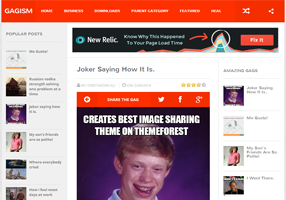
Gagism Responsive


Gagism Responsive Blogger Template

Gagism Responsive is based on Futuristic UI build for images gags websites. We have put together an amazing CMS interface for all those gag loving people who always desires to have a pictorial, or memes based site on Blogger platform. Most people find it difficult to start a gag site on WordPress due to fewer funds, but now they can have a professional gag site even on Blogger BlogSpot. Random Posts button, Rating system, Social buttons and lots of essential elements that were never seen before on a blogger site.

Author : Templateism - http://templateism.com

Similar Template : ROFL Meme Blogger Template

Sabtu, 25 Januari 2014

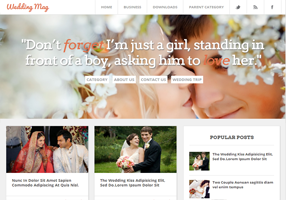
Wedding Mag Responsive


Wedding Mag Responsive Blogger Template

Wedding Mag Responsive is a lovely marriage website blogger template ideal for wedding niche bloggers, but anyone can use it as a simple and elegant framework to shape it in any kind of website I.e. Technology, multimedia, entertainment and etc. This theme is Suitable for users who have zero programming or developing skills as well as advanced developers. This template comes with excessive features that are considered as the basic needs of a user and developer.

Author : Templateism - http://templateism.com

Similar Template : Aurelios Blogger Template

Kamis, 28 Februari 2013

Twitter Blogger Template

Twitter Blogger Template
Template Name: Twitter Blogger Template
Platform: Blogger / Blogspot
Release date : 28, February 2013
Author : www.templateism.com
License : Creative Commons Attribution 3.0

Download Preview


Twitter Blogger Template is inspired from world’s first micro blogging website Twitter.com. Though, this theme is not a replica of Twitter.com but still it has a touch which would convert your Blogger blog into a robust social networking website. The color combination of light blue and place gives it an elegant touch. Since, this theme is inspired from Twitter. Therefore, we have also attached twitter Tweet button. This Theme is extremely efficient and sober which makes it standout from other templates. It has some built-in extra-ordinary features like Numbered page navigation, floating header, and much more.

Twitter Blogger Template

Features of Twitter Blogger Template:

  1. Floating Header Bar: It has a sleek and stylish black floating header bar that consists of a Small LOGO, Navigation menu and a search bar. It floats along your screen whenever scroll up or down the page.

  2. Numbered Page Navigation: We have installed Number page navigation plugin in this theme which automatically overrides Older/Newer post buttons. It reduces bounce rate and improves user engagement.

  3. SEO-Friendly: We have also installed an SEO Plugin in this template, which would surely help you to increase your organic traffic in quick succession. Though, the plugin is not FREE, but it is sponsored by MyBloggerLab.com. Therefore, it is free only for this theme.

  4. Custom CSS3 Label: Among the few prominent features, we have also added a magnificent CSS3 Label cloud in this theme which would surely catch some extra attention. 
More Features: Twitter Look, Web 2.0, Magazine Style, light blue and black color Scheme, threaded commenting system, and much more.

How to Customize Floating Menu?

Go To Blogger.com >> Template >> Edit HTML >> Proceed. Now search for the following coding in the template. After finding it Replace # with your URLs and Save the template.
<ul class='art-hmenu'>
<li><a class='active' href='#' title='Home'>Home</a></li>
<li><a href='#' title='About the theme'>About the theme</a></li>
<li><a href='#' title='Buy Theme'>Buy Theme</a></li>
<li><a href='#' title='Plugins'>Plugins</a></li>
<li><a href='#' title='Help'>Help</a></li>
<li><a href='#' title='Contact'>Contact</a></li>
</ul>

From the Designer's Desk: 

We hope this theme will help you in gaining some extra attention from your visitors. This Theme is not a carbon copy of Twitter but still it essence in enough. This template is ideal for blogging niche like technology, multimedia, entertainment, magazine, and etc. It has 95 out of 100 Google Page Speed score which is splendid indeed for SEO and user satisfaction. Feel free to leave your comments and suggestions below.

Senin, 31 Desember 2012

Avada Blogger Template

Avada Blogger Template
Template Name: Avada Blogger Template
Platform: Blogger / Blogspot
Release date : 31, December 2012
Author : www.templateism.com
License : Creative Commons Attribution 3.0


Avada is so flexible, clean and has fully mobile responsive design (Try resizing the page of your browser). Built with CSS3 and Lightweight Blogger XML, a lot of hard work went into making Avada a pleasure to use.  Avada has with a bucket full of features and has powerful customization options. It’s extremely nippy and easy to customize. This theme’s has clean modern design, which could decorate any kind of website; portfolio, corporate, business, blog, products, etc.

Features of Avada Blogger Template:

  1. WordPress Look: This Blogger theme has fresh and elegant Look that is adapted from WordPress. We are sure your visitors would adore this Template.

  2. Responsive Design: It has responsive design that supports different resolutions i.e. iPad, iPod, Android and etc. (Try resizing the page of your browser and see the magic).

  3. SEO Friendly: This Blogger Template is SEO-friendly because it is pre-optimized for Search engines. According to Google Page speed it has obtained 93 score out of 100 which is indeed overwhelming for SEO.

  4. Drop Down Menu: We have also added a Drop down (Sub menu) that works splendidly well. There is no jQuery associated to this Drop down Menu. Therefore, it’s ultra-fast.

  5. Auto Thumb with Read More: It automatically displays Small Thumbnails, a little summary of content and read more buttons on the Homepage.
More Features: 1 Sidebar, 2 columns Blog Layout, 3 Colum Footer, Fixed Width, Light Greenish Color Scheme, Threaded commenting system and much more.

How To Customize Drop Down Nav Menu?

To customize drop down menu of this blogger template Go to Blogger >> Template >> Edit HTML >> Proceed >> then Search for the following HTML Coding and do changes according to your desire needs.
<nav class='nav-holder' id='nav'>
<ul class='menu' id='nav'>

<li><a href='http://www.mybloggerlab.com/'>Home</a>
<ul class='sub-menu'>
<li><a href='#'>Home Version 1</a></li>
<li><a href='#'>Home Version 2</a></li>
<li><a href='#'>Home Version 3</a></li>
</ul>
</li>

<li><a href='#'>Sliders</a>
<ul class='sub-menu'>
<li><a href='#'>Revolution Slider</a></li>
<li><a href='#'>Layer Slider 3.0</a></li>
<li><a href='#'>FlexSlider</a></li>
<li><a href='#'>ThemeFusion Slider</a></li>
</ul>
</li>

<li><a href=''#'>About Us</a></li>
<li><a href=''#'>Contact Us</a></li>
<li><a href=''#'>Blog</a>
</li>
</ul>
</nav>

Adding Widgets Below/Above Posts:

If anyone desire to add widgets below/above posts of this theme, then he can follow the following instructions. (We have added this feature because many uses complains that Blogger Themes don't have user-friendly customization interface). 

Go To Blogger.com >> Template >> Edit HTML >> Proceed and Search for the Following coding.

To Show Below Post Title:
<b:if cond='data:blog.pageType == &quot;item&quot;'>
<!--Google Adsense Ad Code (Below Post Title)-->
</b:if>
To Show at The End of Posts:
<b:if cond='data:blog.pageType == &quot;item&quot;'>
<!--Google Adsense Ad Code (At the End of Posts)-->
</b:if>
Replace:
  • <!--Google Adsense Ad Code (Below Post Title)--> To Show widget Below Post Title.
  • <!--Google Adsense Ad Code (At the End of Posts)--> To display Widget at the end of posts.

From The Designer's Desk:

This Theme is ideal for Blogs because it has all the sparks that are needed to run a Blogger community. The header of this theme is one of its kind. This is the reason, why it looks classy and elegant. Avada also has tons of marvel features which a person might discover when he would use this FREE Theme. What are your thoughts about this Theme? Suggestions and problems are more than welcomed.

Senin, 23 September 2013

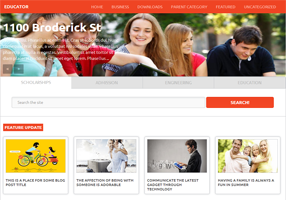
Educator Blogger Template

Educator Blogger Template

Template Name: Educator Blogger Template
Platform: Blogger / Blogspot
Release date : 23, September 2013
Author : www.templateism.com
License : Creative Commons Attribution 3.0

Download Preview


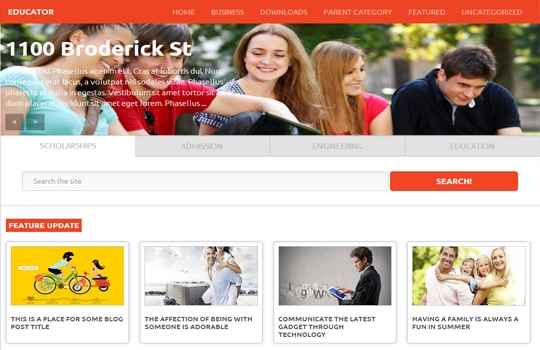
Educator Blogger Template is utterly stylish yet decent and sober theme designed for BlogSpot based websites. We have designed this template for all those colleges, universities and other institutions who want to have an amazingly professional website with not a lot of expenses. Educator Blogger template allows you an ideal online institution website, and at the same time it can also be converted in a full-time magazine blog. Though, it is designed for educational blogs, but one can also use it on magazine, Technology, Multimedia based websites.

Educator Blogger Theme (Big View)

Features of Educator Blogger Template:

  1. Responsive Blogger Template: This theme supports multiple dimensions, which means it would appear just perfect on your personal computers, laptops, smartphones, and the rest of the other devices.  Which means your mobile users would enjoy browsing your site as it would bring a lot of perks to them. 

  2. Full Width Image Slider: In this theme, we have also connected a responsive highly flexible image slider. You can upload picture of any sizes, and it would stretch it just faultlessly. However, to bring productive results upload a decent large image. 

  3. Featured Posts: Like our other templates, we have also included featured post functionality through which you can display posts tagged with a specific Label differently. To install this function, check out the details below.

  4. SEO Optimized: Search engine optimization is considered as the one of the essential element of a website this is the reason why we always emphasis on developing themes having moderate SEO score. We have added some distinct on-page SEO plugins which would certainly help you in increasing your Google SERP Rankings. 
More Features: Multiple Drop Down Menu, 4 columns Footer, 3 columns Template, Threaded commenting system, related posts, Ads ready, SEO Friendly and much more.

How to Customize Feature Top Label:

To customize Feature top Label first upload this template to your site then go to Blogger.com >> Layout >> Feature Top (Full Width) >> Edit and paste the following code in the HTML Text box. Note: Replace "Technology" with your Label. Remember: The spelling should be accurate otherwise it would not work, even take care of upper and lower class letters.
<h2 class="featuredi"><a>Feature Update<a></a></a></h2>
<script src='/feeds/posts/summary/-/Technology?max-results=4&amp;orderby=published&amp;alt=json-in-script&amp;callback=recentthumbs&amp;' type='text/javascript'/>
     </div> <div class='clears'/></script>

How to Customize Feature Left Label:

To customize Feature Left Label go to Blogger.com >> Layout >> Feature (Side) >> Edit and paste the following code in the HTML Text box. Note: Replace "Tech" with your Label. Remember: The spelling should be accurate otherwise it would not work, even take care of upper and lower class letters.
<div id='featureside'>
<h2 class='featureside'><a>Feature Update<a/></a></a></h2>
<script src='/feeds/posts/summary/-/Tech?max-results=8&amp;orderby=published&amp;alt=json-in-script&amp;callback=recentthumbs&amp;' type='text/javascript'/>
  
   </div> <div class='clears'/>

How To Customize Slider: 

First login to your blogger dashboard and go to Template >> Edit HTML  and search for the following piece of code and customize it according to your desire needs.
<section class='slider-wrapper'>

From The Designers Desk:

We hope this Blogger theme would help you in renovating your blog with true awesomeness. The speed of this theme is quite fast despite of the fact that we have use a lot of JavaScripts. Let us know what do you think about it.

Sabtu, 19 Oktober 2013

Vortex Responsive Blogger Template

Vortex Responsive Blogger Template
Template Name: Vortex Blogger Template
Platform: Blogger / Blogspot
Release date : 20, October 2013
Author : www.templateism.com
License : Creative Commons Attribution 3.0


Vortex is 100% responsive, high functioning and multimedia magazine style blogger template designed for richly professional bloggers and webmasters. It has some efficient features and functionalities that would certainly make you go gaga about this template. Most importantly, this template looks different on each and every device. For example, check it on your PC, Laptop, iPad and even your smartphones you will find all layouts a slight different from others, we call it the excellent designing. Other than that, it has some noteworthy features which are listed below.

Vortex Responsive Blogger Template

Features of Vortex Responsive Blogger Template:

  1. 100% Responsive Blogger Template: Vortex is flexible and highly responsive Blogger template. We have tried our best to produce a high quality theme with extremely flexible responsive style. We have tested it again and again on different devices like Android, iPhone, iPad, and it works pretty awesome on all devices with different screen resolutions. It fits your screen like as if it was exclusively made for your device.

  2. SEO Friendly: SEO is something that can be done by you or other professionals. Since, you are using our templates, so we provide you the facility to just post your content, where as we take care of your Search engine optimization.

  3. Multi-Drop down Menu: This theme also supports multi-drop down menu that enables you to add more categories in your site. It helps in giving users the flexibility to get into the depth of your category.

  4. Browser Compatibility: Vortex is cross-browser supported that shows; we have checked and tested this theme a gazillion times before releasing it in public. It works fine on all major browsers like Chrome, Firefox, Internet explorer. However, it might not function on some low quality old school browsers that do not know the standards of latest development i.e. CSS3 and HTML5.

  5. Optimize for AdSense: We have added some Html Comments that will help you to display Ads below and above your posts. In your template search for <!—AdSense Above Posts --> or <!-- AdSense Below Posts --> and replace it with your parse AdSense ad code.

How to Customize Feature Bottom Label:

The first thing you need to do is to go to Blogger >> Your site >> Layout >> Label Top (Feature Posts 1) >> and paste the following code in the HTML Box. Note: Replace "Featured" with your Label. Remember: The label name should be accurate, making sure that letters are capital or not.
<script type='text/javascript'>
var numposts = 1;
var showpostthumbnails = true;
var displaymore = false;
var displayseparator = false;
var showcommentnum = false;
var showpostdate =  true;
var showpostsummary = true;
var numchars = 400;</script>
<script type="text/javascript" src="/feeds/posts/default/-/Featured?orderby=updated&alt=json-in-script&callback=labelthumbs"></script>

How to Customize Feature Bottom Label:

To customize Feature top Label first upload this template to your site then go to Blogger.com >> Layout >> Feature Bottom >> Edit and paste the following code in the HTML Text box. Note: Replace "Technology" with your Label. Remember: The spelling should be accurate otherwise it would not work, even take care of upper and lower class letters.
<h2 class="homelabelh"> Technology News</h2>
<div style='clear:both;'></div>
<script type='text/javascript'>
var numposts = 6;
var showpostthumbnails = true;
var displaymore = false;
var displayseparator = false;
var showcommentnum = false;
var showpostdate =  false;
var showpostsummary = false;
var numchars = 100;</script>
<script type="text/javascript" src="/feeds/posts/default/-/Technology?orderby=updated&alt=json-in-script&callback=labelthumbs"></script>

From The Designers Desk:

When we shared a teaser of this template on our Facebook page. We got a handful of awesome reviews, one user said that, "This is the GOD of Blogger Templates". Therefore, we decided to give it for Free. Let us know what you are outcomes about this template in the comment section below.

Kamis, 21 Maret 2013

Creative Gallery Blogger Template

Creative Gallery Blogger Template
Template Name: Creative Gallery Template
Platform: Blogger / Blogspot
Release date : 21, March 2013
Author : www.templateism.com
License : Creative Commons Attribution 3.0

Download Preview


Creative Gallery is a multi-style Portfolio Blogger Template. This theme is perfect to show off your work and images. It is ideal for wallpaper and portfolio website. Perhaps it is the only Blogger template which has exceptionally overwhelming touch.  It has a full-width homepage, which makes it easy for your users to see through the image gallery.  Though, it is for portfolio website, but it can also be used as a Blog. The color combination of Black, Dark blue, and gray gives it a reasonable touch. We are sure; you have never seen this type of creative blogger template before.

Creative Gallery Blogger Template

Features of Creative Gallery Blogger Template:

  1. Big Size Navigation Menu:  Many of our readers requested us to include a large size Menu bar. Keep that in mind, we have added a decent navigation menu in this theme. It appears just under the header so that users can navigate your site with ease. 

  2. Big Thumbnail Related Posts:  We have also added related posts gadget with big-size thumbnails. It would help you in decreasing the bounce rate and would increase the user engagement. 

  3. SEO-Friendly: Like our previous themes, we have also added an SEO plugin in this template. This plugin would help you in increasing your SEO score. It is already optimized for on-page SEO, so there is no need to do is manually.

  4. Portfolio Theme: As we have said before this theme is ideal for Gallery, portfolio and image hosting websites. We are sure your users would adore the design. It has two column Image galleries. 

How to Customize Menu?

Go To Blogger.com >> Template >> Edit HTML >> Proceed. Now search for the following coding in the template. After finding it Replace # with your URLs and Save the template.
<ul class='right'>
<li><a href='#'>Home</a></li>
<li><a href='#'>Blog</a></li>
<li><a href='#'>Portfolio</a></li>
<li><a href='#'>Gallery</a></li>
<li><a href='#'>Wallpapers</a></li>
<li><a href='#'>Inspiration</a></li>
<li><a href='#'>Interviews</a></li>
</ul>

From the Designer's Desk:

This theme is extremely handy for gallery, portfolio and multimedia websites. We have tried to use less jQuery files so that it keeps your site hyperactive. The speed of this theme is unbelievably fast and takes less than second to load. Feel free to leave your positive reviews below.

Jumat, 14 Juni 2013

Retina Blogger Template

Retina Blogger Template


Template Name: Retina Blogger Template
Platform: Blogger / Blogspot
Release date : 14, June 2013
Author : www.templateism.com
License : Creative Commons Attribution 3.0

Download Preview


Retina Blogger template is a versatile magazine style theme designed for those blogs which are multi-niched, or covers a lot of stories of different categorize at just one place. It is still ideal for all kind of blogs like Technology, Entertainment, News, Magazine, Gadgets. It has the tendency to accommodate almost anything. It is jam-packed with lots of customized widgets. Just install this template, sit back and enjoy. This theme has pure appearance with crystal clear touch. The outlook is so beautiful that you cannot stop yourself from saying a WOW!

Retina Blogger Template

Features of Retina Blogger Template:

  1. JQuery Image Slider: In this Template, we have incorporated a modest and light weight jQuery image slider that works pretty well. It has some cool transition effect which would surely look well with your website. Just like every other slider, we have play, pause, forward and backward buttons. 

  2. Featured Label Area:  With this theme, you can use “Labels” to display posts on your homepage.   It drives data of your posts from Labels and displays them on your homepage. It shows the thumbnail of the posts along with their title in a systematic manner. 

  3. Related Posts: This theme also has a related post gadget which appears just beneath your posts. It displays related posts in systematic order along with their featured thumbnails.

  4. SEO-Friendly: This theme is absolutely brilliant for search engines. This theme has the highest search engine optimization score. The speed of this template is 90 out of 100 according to Google Speed insights.
More Features: Magazine Style, blue color scheme, threaded commenting system, 2 column template, 2 column sidebar and much more.

How to Customize Feature Label Area:

The first thing you need to do is to go to Blogger.com >> Your site >> Template >> Edit HTML and search for this code. Quick Tip: You will find this code some way near to the <body> Tag.
 <div id='featurebottom1'><h2 class='headingfeature'>#Technology</h2>
<div class='left-corner-canvas'/>
    <script src='/feeds/posts/summary/-/Technology?max-results=4&amp;orderby=published&amp;alt=json-in-script&amp;callback=recentthumbs&amp;' type='text/javascript'/>
<a class='readmoretopic' href='/search/label/Technology'>Browse More</a>
         </div>
<div style='clear:both;'/> 
Now either replace "Technology" from the following coding to a keyword that you want to use as a Label so show up posts in this featured area. On second thoughts, you can tag your posts with "Technology" label and those posts would start appearing.

Note: Repeat the same process until you have customized all four Label featured areas.

From the Designer's Desk: 

This Blogger Template is just amazing for those blog which are based on technology, sports, entertainment and etc. It is extremely lightweight and has excessively responsive speed. Let us know what you think about this theme? We are anxiously waiting to see your comment.